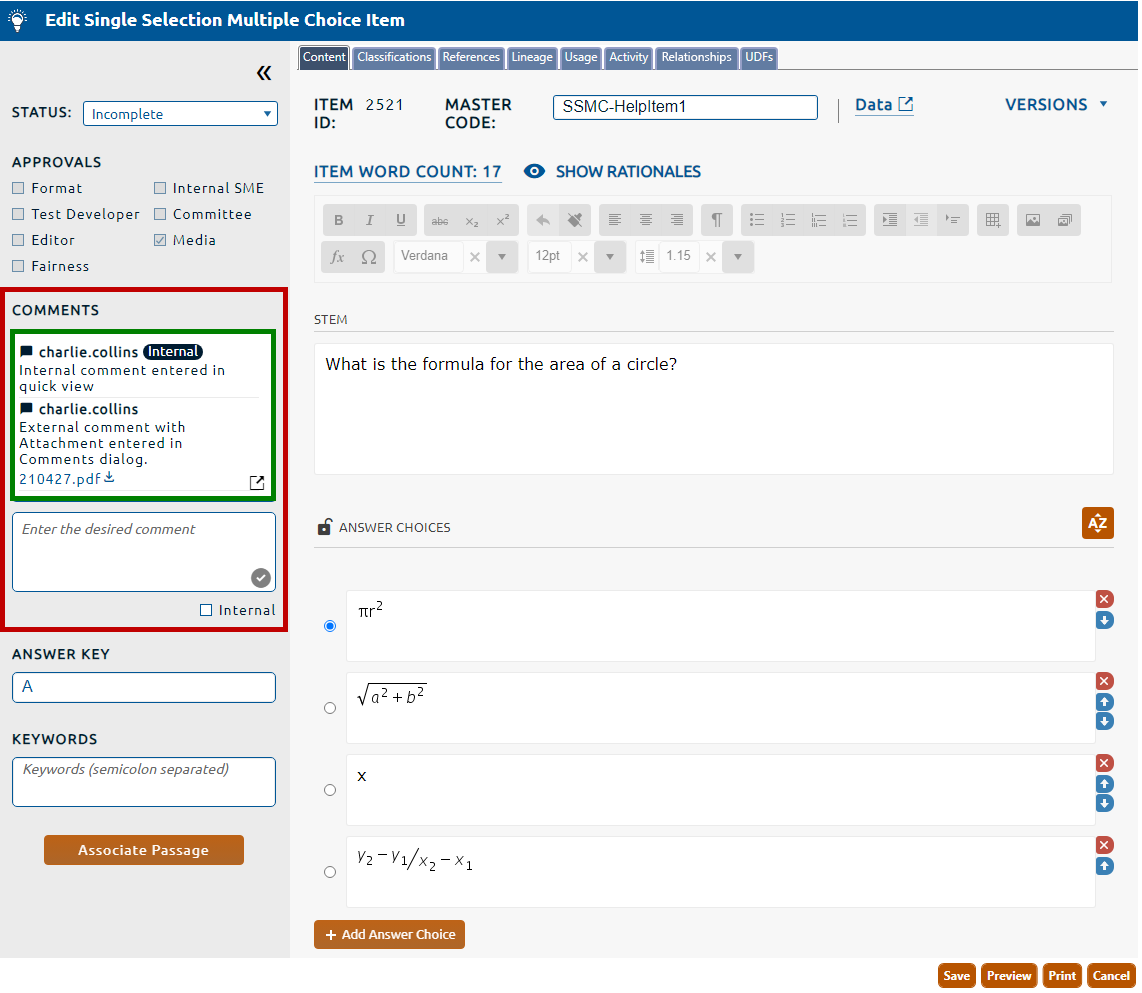
2. The left pane of the page contains the Quick View of Comments (highlighted in red, below). All comments for that item will appear in the Comments content field (highlighted in green, below):
3. If the comment contains an attachment, clicking the attachment hyperlink will permit the file to be saved to a locally mapped drive.
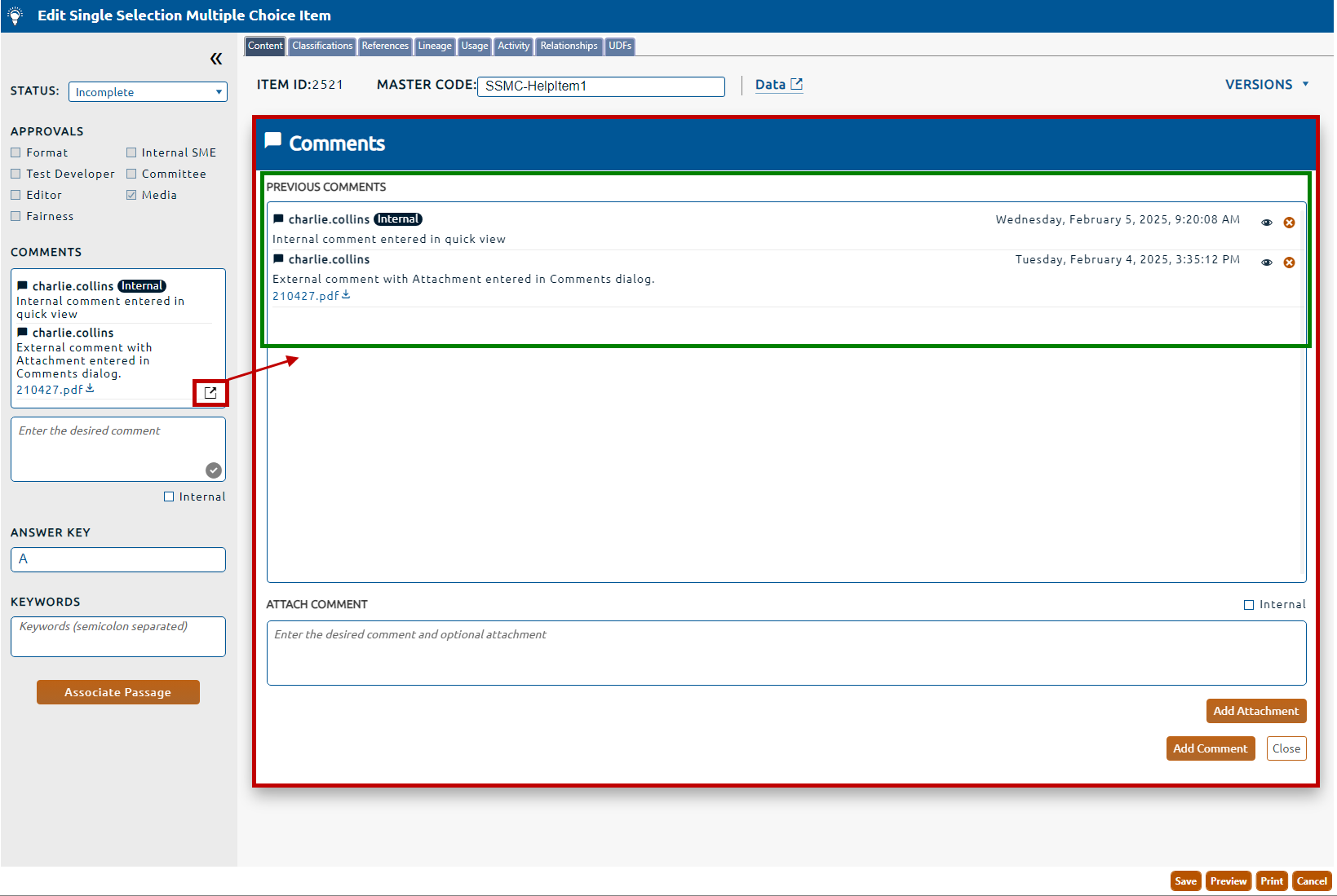
2. The left pane of the page contains the Quick View of Comments, select the comments dialog icon to open the Comments dialog (highlighted in red, below)
3. A list of all the item's comments will be displayed in the Previous Comments field (highlighted in green, above).
4. If the comment contains an attachment, clicking the attachment hyperlink will permit the file to be saved to a locally mapped drive.