Viewing data in user-defined fields for an HTML item
User-defined fields (UDFs) capture customized data about an item.
To view data in UDFs for an item:
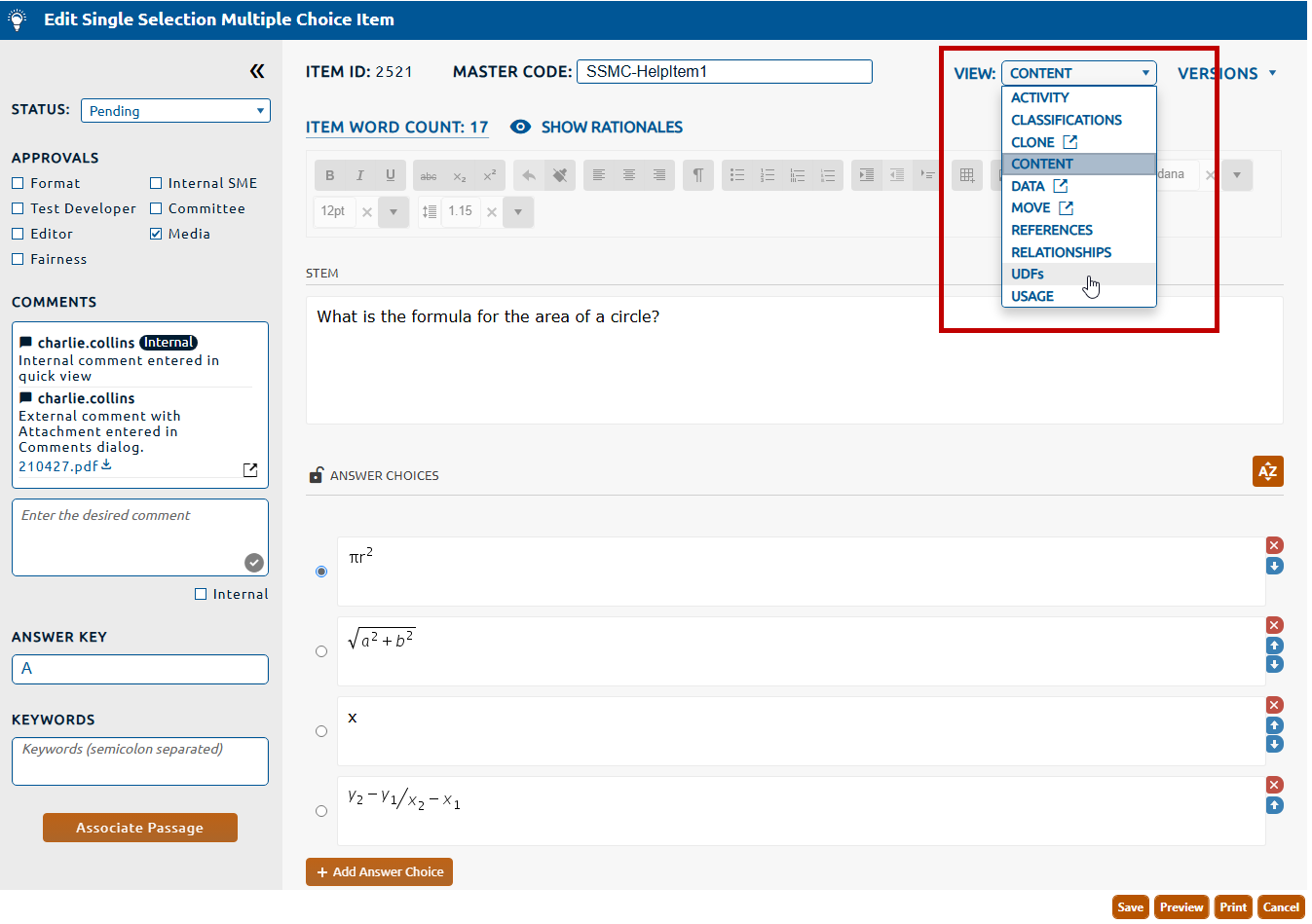
2. Select UDFs from the View dropdown (highlighted in red, below).
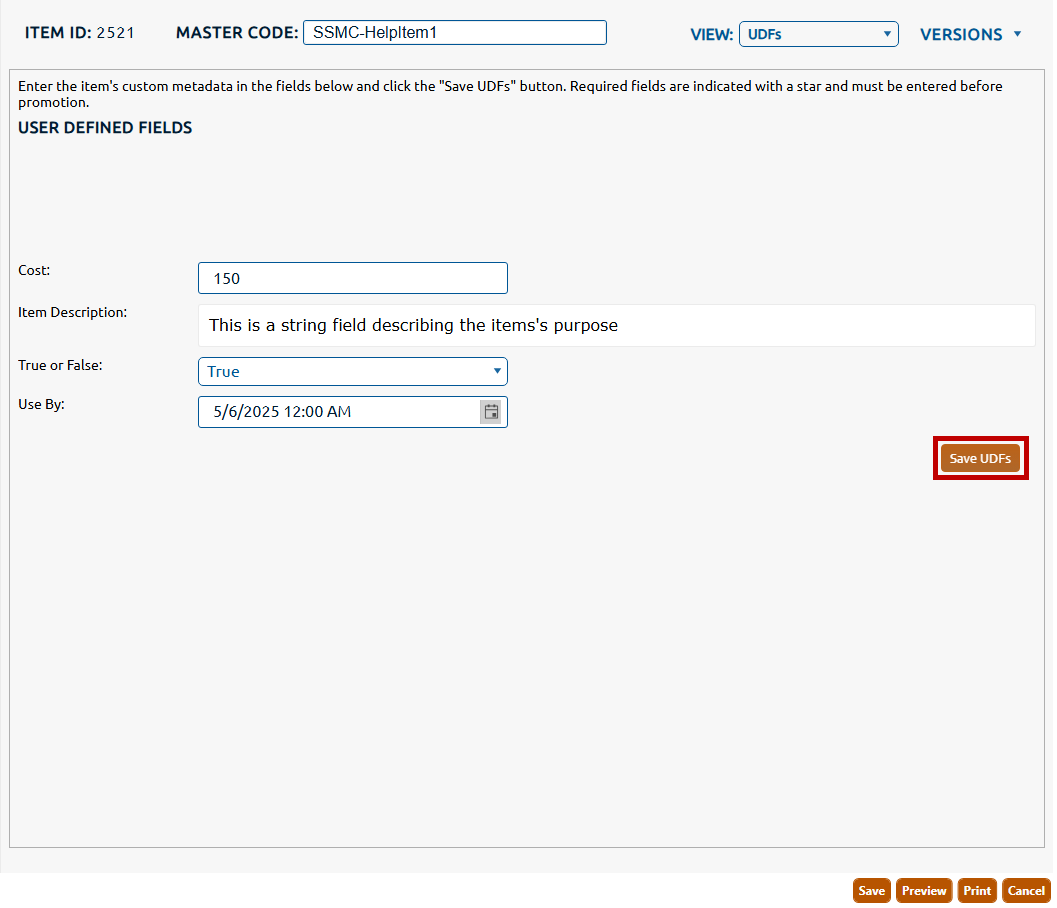
3. The User Defined Fields view is displayed.