Note:When defining the examination's layout, the author can select an existing section as a reference that is used in one or more sections in other locations within the examination's layout.
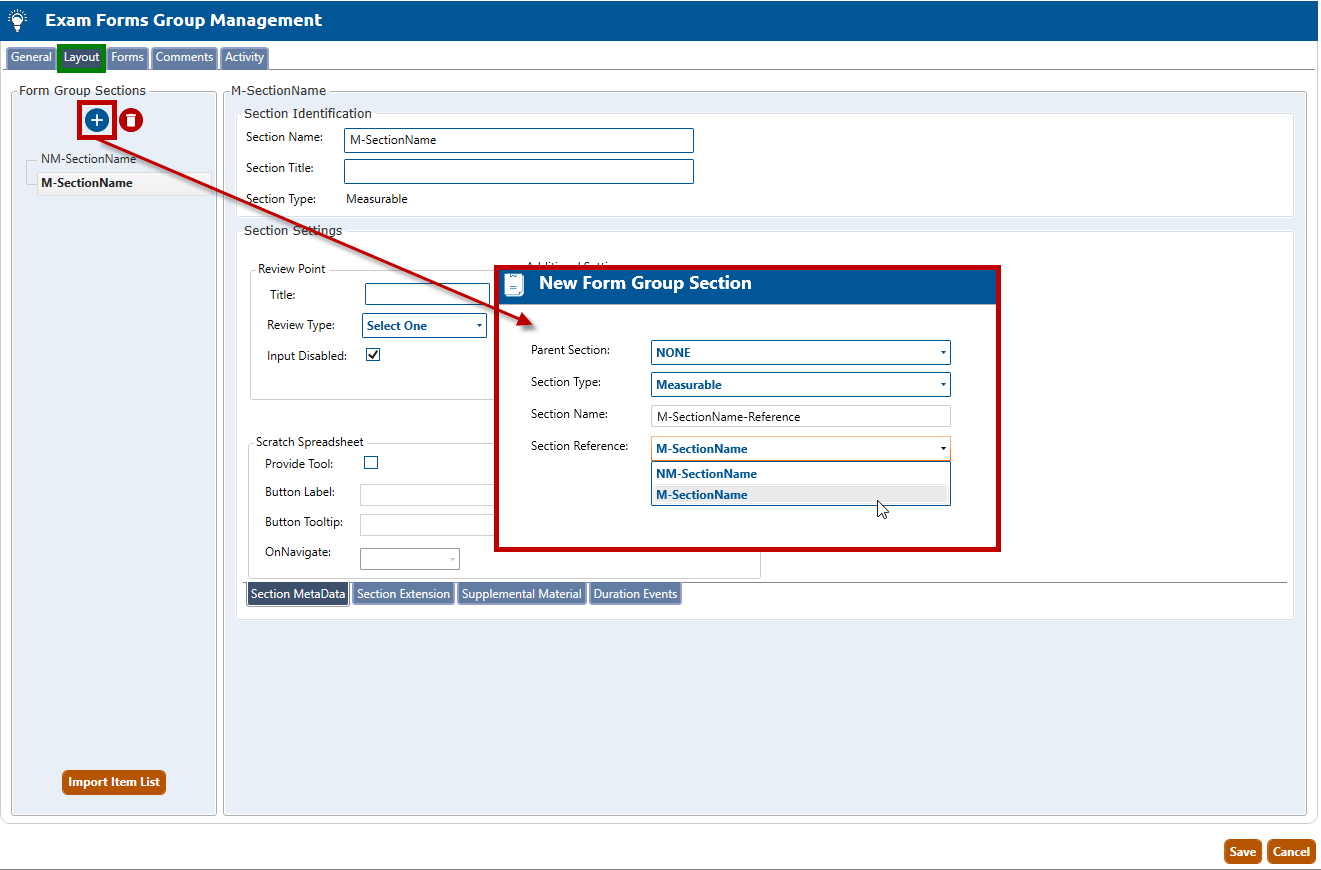
Navigate to the Layout tab (highlighted in green, below), and click the Create a New Exam Section button to open the New Form Group Section popup window (highlighted in red, below).
Select a Parent Section for this new form group, or select NONE. Selecting a parent means that this new section will become a child section within the parent section.
In the Section Type dropdown, select Measurable (i.e., a scored section).
Enter a Section Name for the new section.
From the Section Reference dropdown select the section to be referenced.
Click the Create Section button.
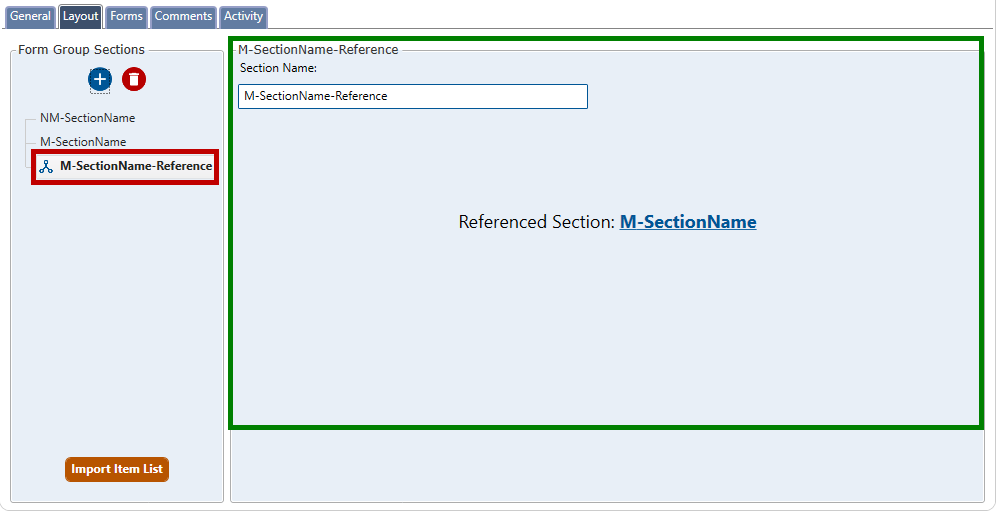
The Layout tab will populate with the new section (see figure below). The new section name (called M-SectionName-Reference in the example below) is listed on the left side of the screen (highlighted in red), while the details of the section are listed on the right side (highlighted in green).